I Offloaded my Repo's Housekeeping to Claude
How Claude Code Became My GitHub Project Butler
Creating labels, managing issues, PRs, and merges — all from the terminal, with no context switching.
I spent a day doing routine project maintenance — merging branches, closing stale PRs, fixing theme inconsistencies, and working around a CI outage. Nothing glamorous. But I never opened GitHub in my browser. Every label, issue, PR, and merge happened from my terminal through Claude Code, and the part that surprised me was how much faster the whole loop became when the AI already knew what I was working on.
The Context Advantage
Here's the thing about working with Claude Code through a session: it accumulates a lot of explicit context. So when I asked Claude to close four security issues, it didn't just close them. It first checked the relevant commit (86aea00), confirmed the commit message explicitly referenced each issue number, and then closed each one with a specific comment explaining which part of the commit resolved it.
That same context carried forward. When our GitHub Actions minutes ran out mid-session and every CI job started failing in five seconds, Claude had already seen the failures on multiple PRs. So when I said "let's create an issue for this," the resulting ticket wasn't a stub I'd need to flesh out later. It included the problem statement, goals, considerations, and technical details — all pulled from what we'd already encountered together.
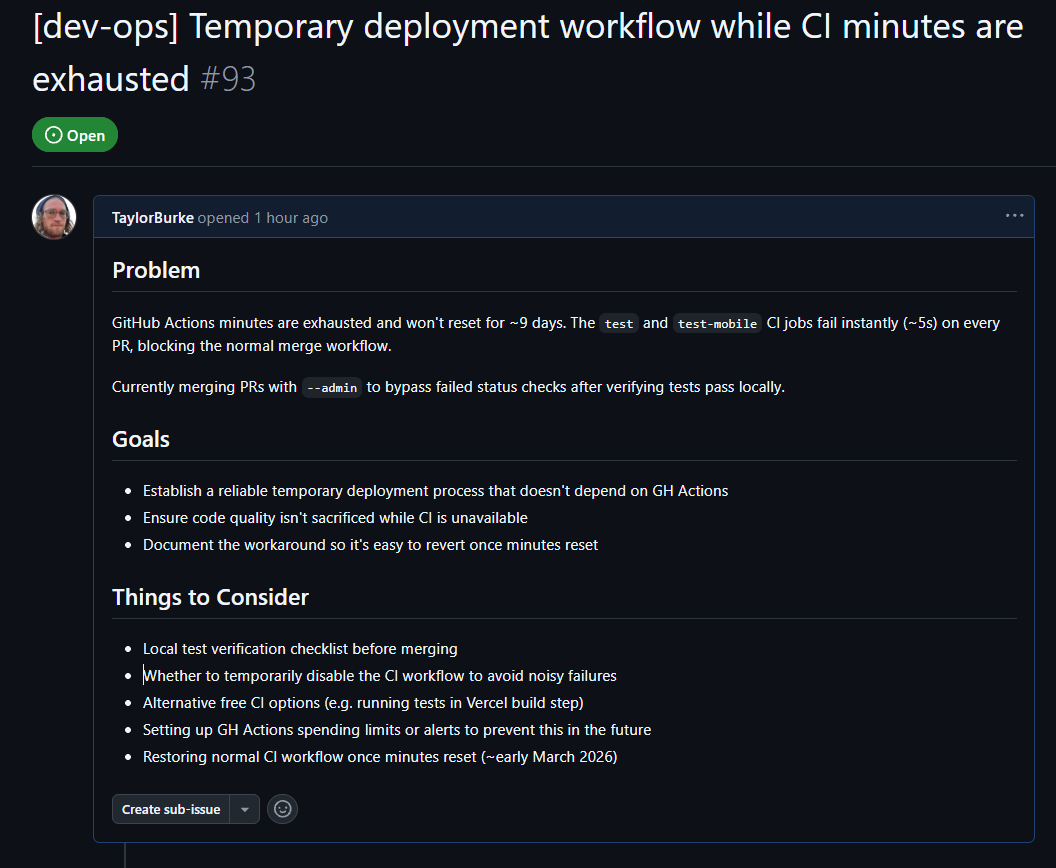
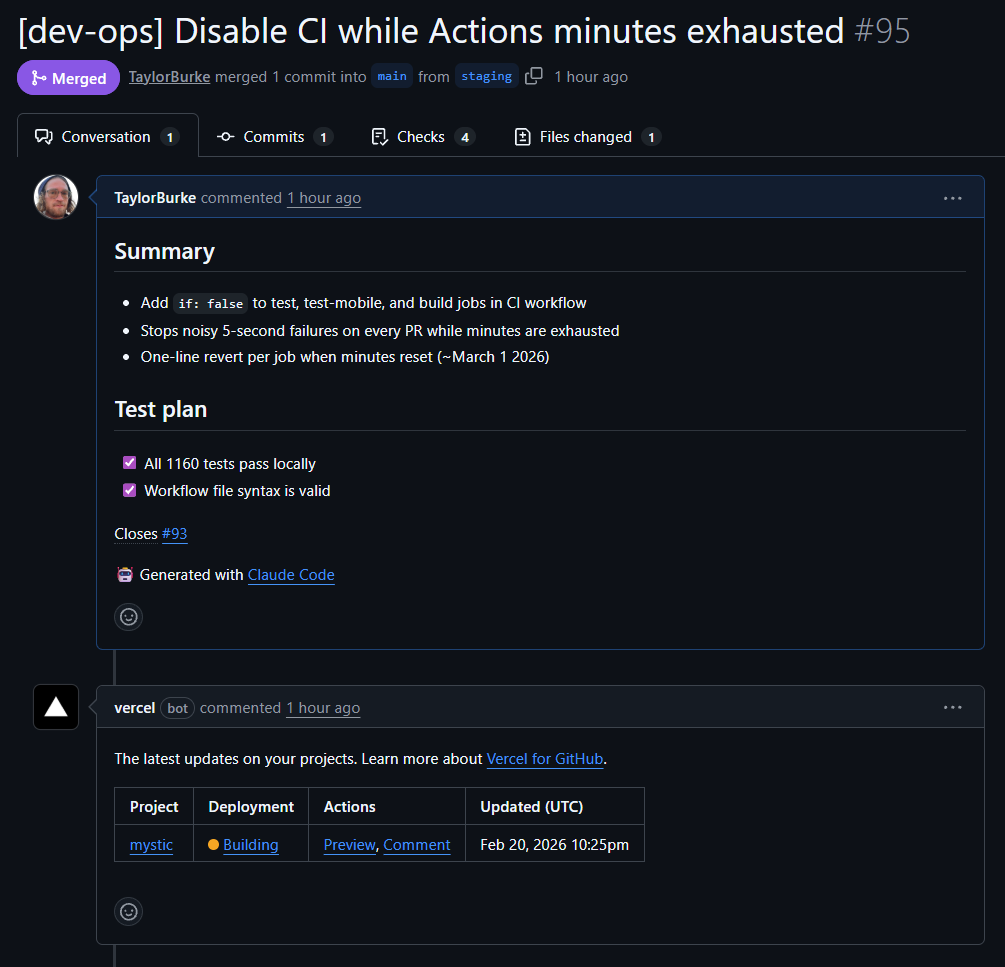
The issue was detailed enough that when we circled back to actually fix it later in the same session, Claude essentially prompted itself with all of that context. I said "let's work on closing 93" and it already knew the CI workflow file, the job structure, and the temporary workaround we'd been using. The fix was three lines — if: false on each job — with dated comments for easy revert.
The Workflow in Practice
What I used to do: context-switch to the browser, navigate to the repo, click through the UI to create a label, write an issue, go back to my editor, do the work, switch back to create a PR, click merge. Each switch costs maybe 30 seconds, but the real cost is the mental interruption.
What I do now: tell Claude what I need and keep working.
In this session alone, Claude handled:
- Creating labels on the fly — when I needed a
dev-opslabel that didn't exist, Claude created it with a description and color, then applied it to the new issue in the same command - Closing stale dependabot PRs — three PRs superseded by our framework upgrade, each closed with a comment explaining why
- Relabeling issues — swapping
researchforenhancementon an in-progress issue - Full PR lifecycle — creating PRs with detailed summaries, merging with
--adminto bypass broken CI, verifying merge status - Issue lifecycle — creating issues with full context, adding comments, applying labels, and auto-closing via PR body
The Paper Trail
When I close my Claude Code session, the conversation disappears. But every artifact it created persists in GitHub — issues with full descriptions, PRs with summaries and test plans, comments with commit references, labels with descriptions. It's project documentation that wrote itself as a side effect of doing the work.
The commit messages follow the repo's conventions. The PR bodies include test plan checklists. The issue comments reference specific commit hashes. None of that was me being disciplined about documentation. It was Claude maintaining the standard because it could see the patterns in the existing repo.
Trust, Then Verify
This isn't magic. You still need to direct and validate what Claude creates. The AI is doing project management busywork, not making product decisions.
But that's exactly the point. The busywork is what slows you down — the label creation, the issue formatting, the PR descriptions, the cross-referencing of commits to issues. When that friction disappears, you spend your time on the decisions that actually matter.